Contract Lifecycle Management

Automated by AI Agents.Governed by Legal.

An 86-page counterparty contract arrives, scanned, in English and Arabic. Before anyone opens it, you already know which clause would cost you the most, and the sentence to send back.
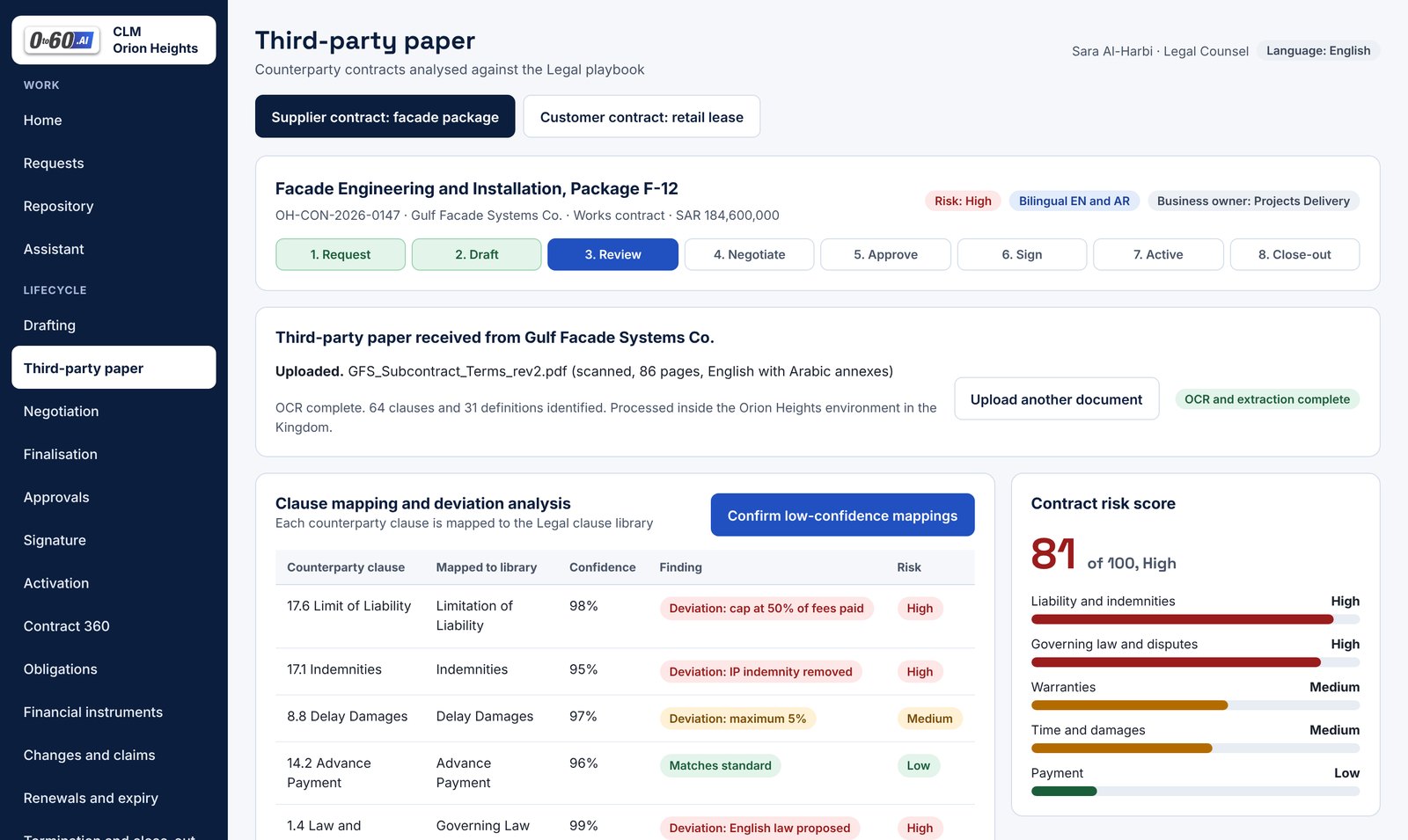
Third-party paper screen showing clause mapping, deviations and a contract risk score

See it work

The whole lifecycle in under three minutes

From a request in the ERP to a signed contract, tracked obligations and an expiring guarantee, with the agents doing the reading and people making every decision.

Start with the hard part

Their paper, read against your positions

Most contract tools store what you signed. This one reads what you are about to sign.
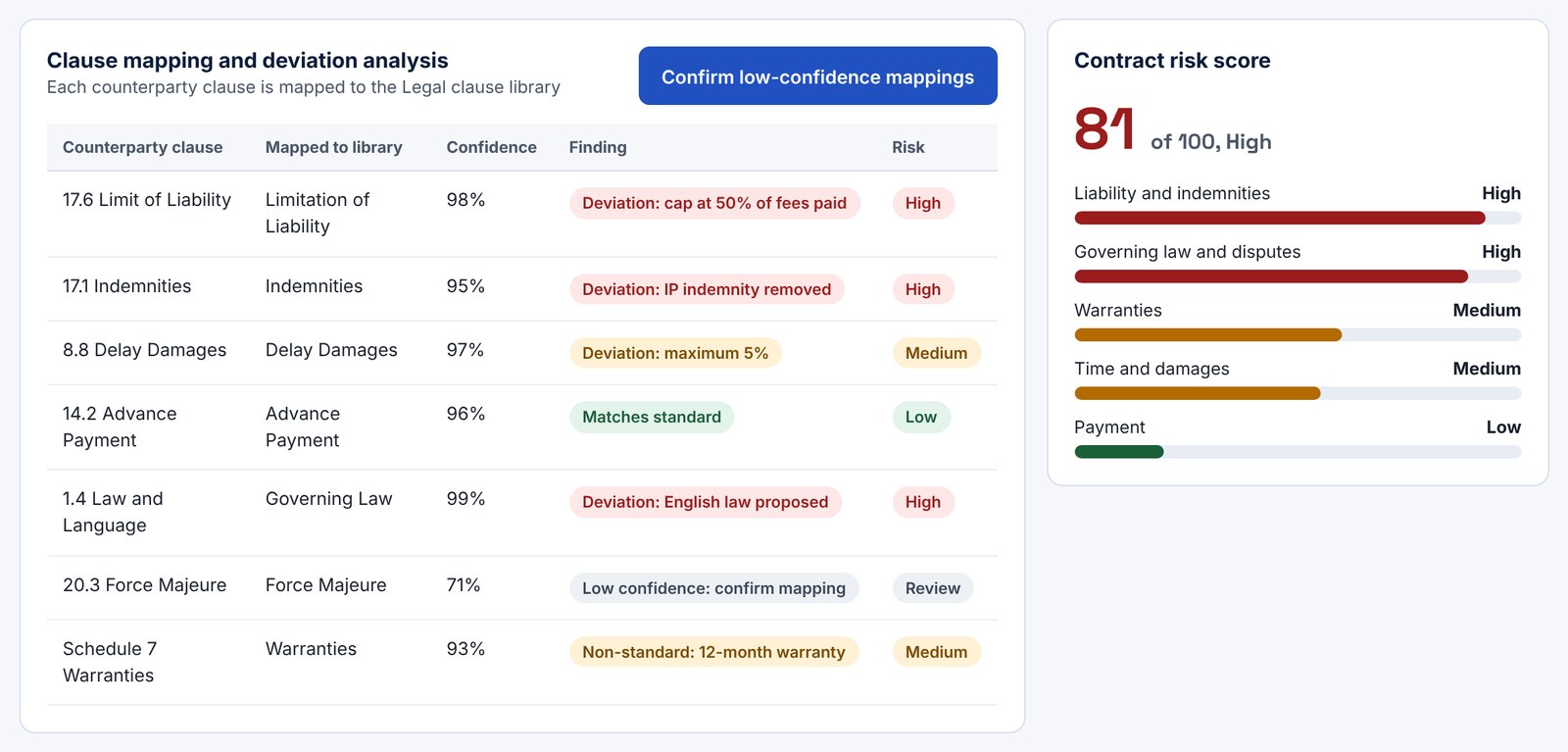
  1. Every clause is mappedCounterparty clauses and definitions are matched to your own clause library, with a confidence score.
  2. Every deviation is flaggedChanged terms, missing clauses, inconsistencies and non-standard wording, each with a risk rating.
  3. Every flag comes with proofThe page, the rule it was checked against, and a second agent that verifies the first.
Clause mapping table with deviations highlighted and a contract risk score of 81
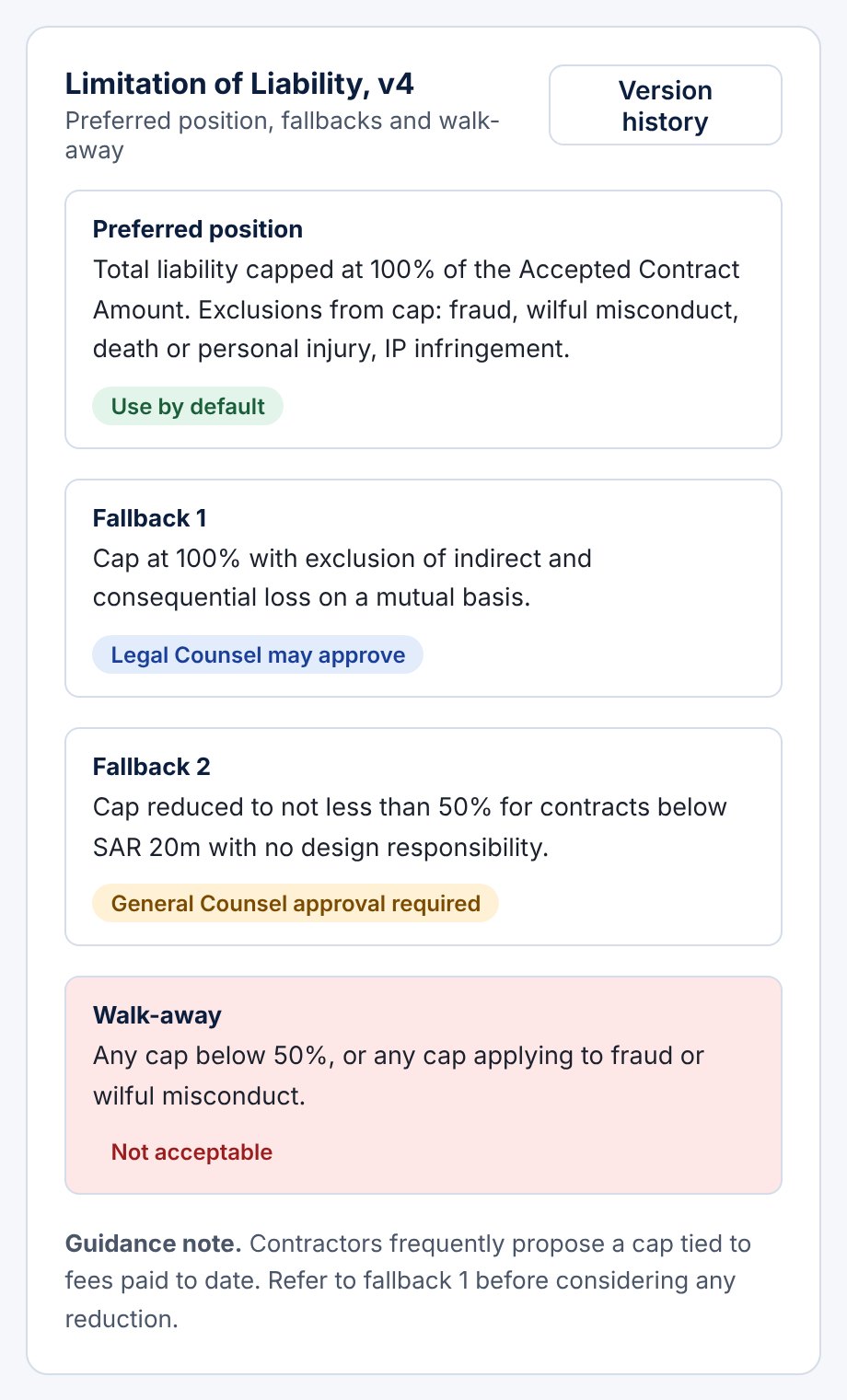
Clause library entry showing preferred position, two fallbacks and a walk-away position

How it works

Your playbook is not a document on a shelf. Here, it runs.

Legal writes down what it will accept, once. Every agent then reads every contract against it, clause by clause.

Preferred positionWhat you want in every contract.
FallbacksWhat you will accept, and who may approve each one.
Walk-awayWhat no one may agree to.

One idea, the whole lifecycle

From the first request to the last obligation

01 REQUESTStarts in your ERPA request arrives system to system. Nothing is typed twice.
02 DRAFTA first draft is waitingContract and schedules, generated from the approved template.
03 NEGOTIATEClause by clauseEach change goes to the right reviewer with a response already proposed.
04 APPROVEThe path is computedFrom your Delegation of Authority, the value and the actual deviations.
05 SIGNDigital signatureSent in the right order, filed automatically when complete.
06 MANAGEObligations found and assignedMilestones, payments, KPIs and deadlines, each with an owner.
07 PROTECTNothing expires by accidentBonds, guarantees, renewals and notice periods, flagged ahead of time.
08 ASKTalk to your contractsPlain-language answers that show you the clause they came from.
Governed by Legal

None of this removes a person from a decision

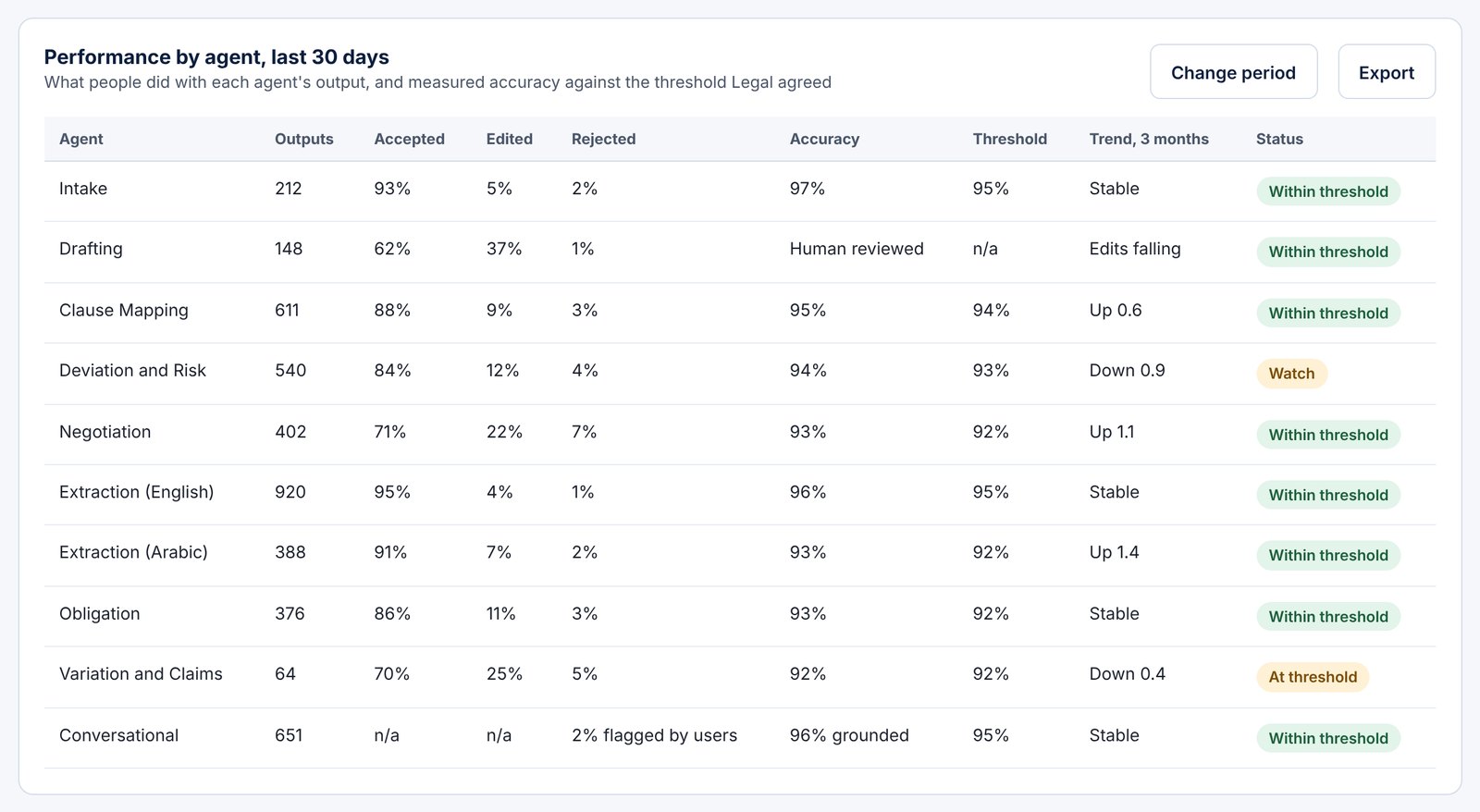
Legal decides how much each agent may do. Every agent is measured against the accuracy Legal agreed, and any decision an agent ever made can be replayed.
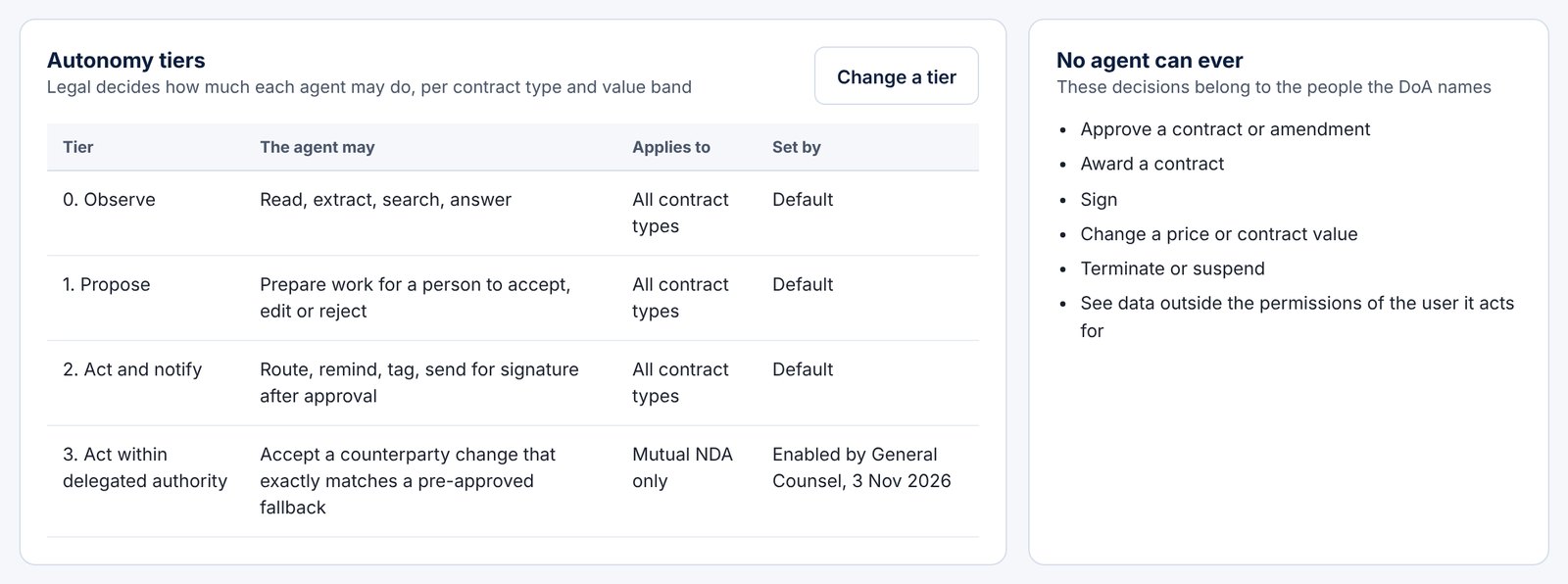
  • No agent can approve a contract
  • No agent can sign
  • No agent can award, or change a price
  • No agent can terminate
Autonomy tiers set by Legal beside the list of actions no agent can take
Agent performance table showing accepted, edited and rejected outputs against threshold

Built for agents from the start

Configured, not coded

Most contract software was built for people to click through, with AI added later. This was designed for agents, and shaped to the way you already work.

Your rules

Workflows, contract types and alerts

Set up by your administrators, tested in a sandbox before going live.

Your contracts

Variations, claims, bonds and guarantees

The parts of a contract that matter after signature are built in.

Your systems

ERP, digital signature, project controls

Plus Word, Outlook and mobile, so people stay where they work.

Your environment

Single tenant, hosted in-country

The contracts and the AI that reads them stay inside your own environment.
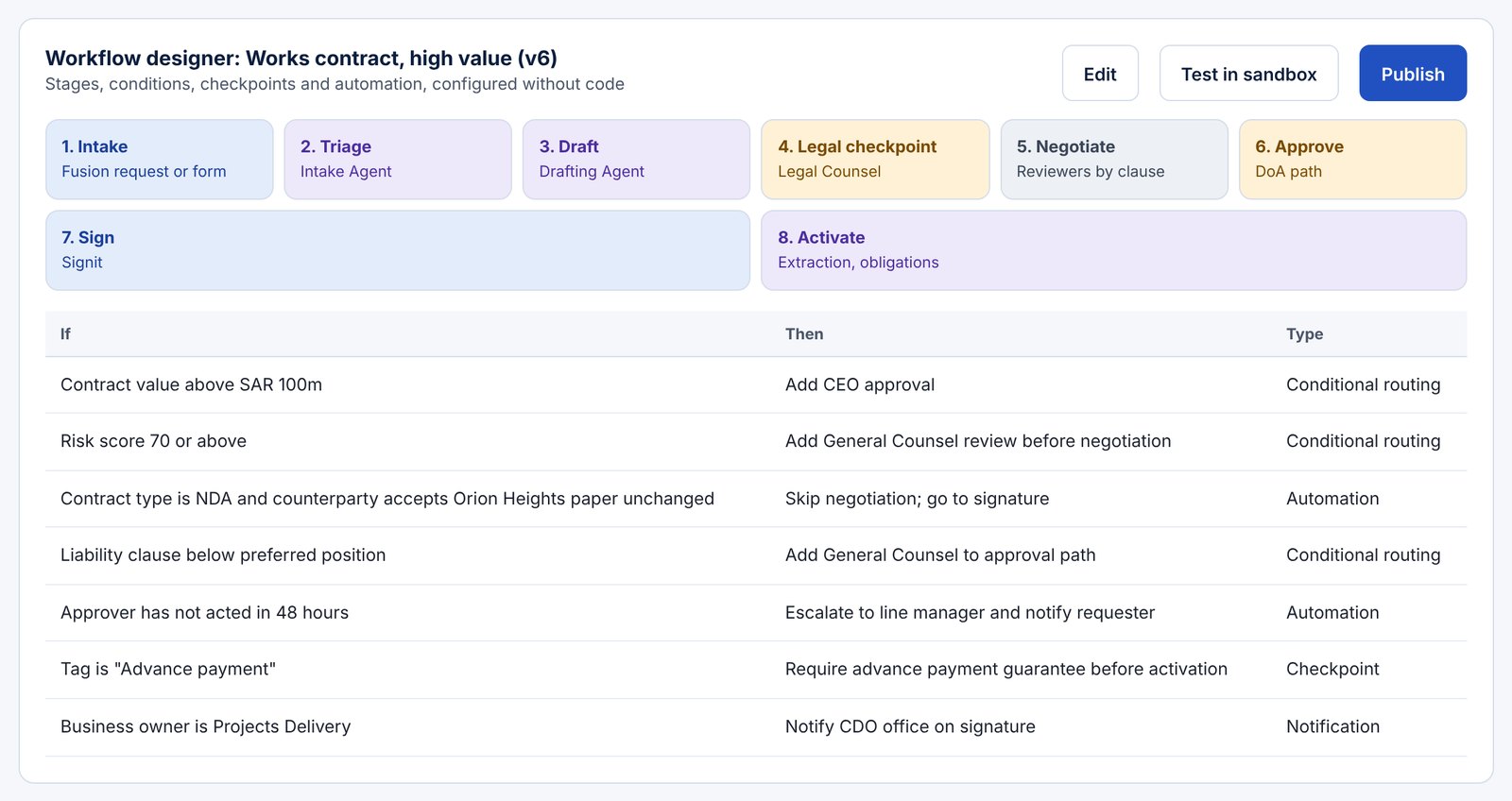
Workflow designer showing stages and conditional routing rules
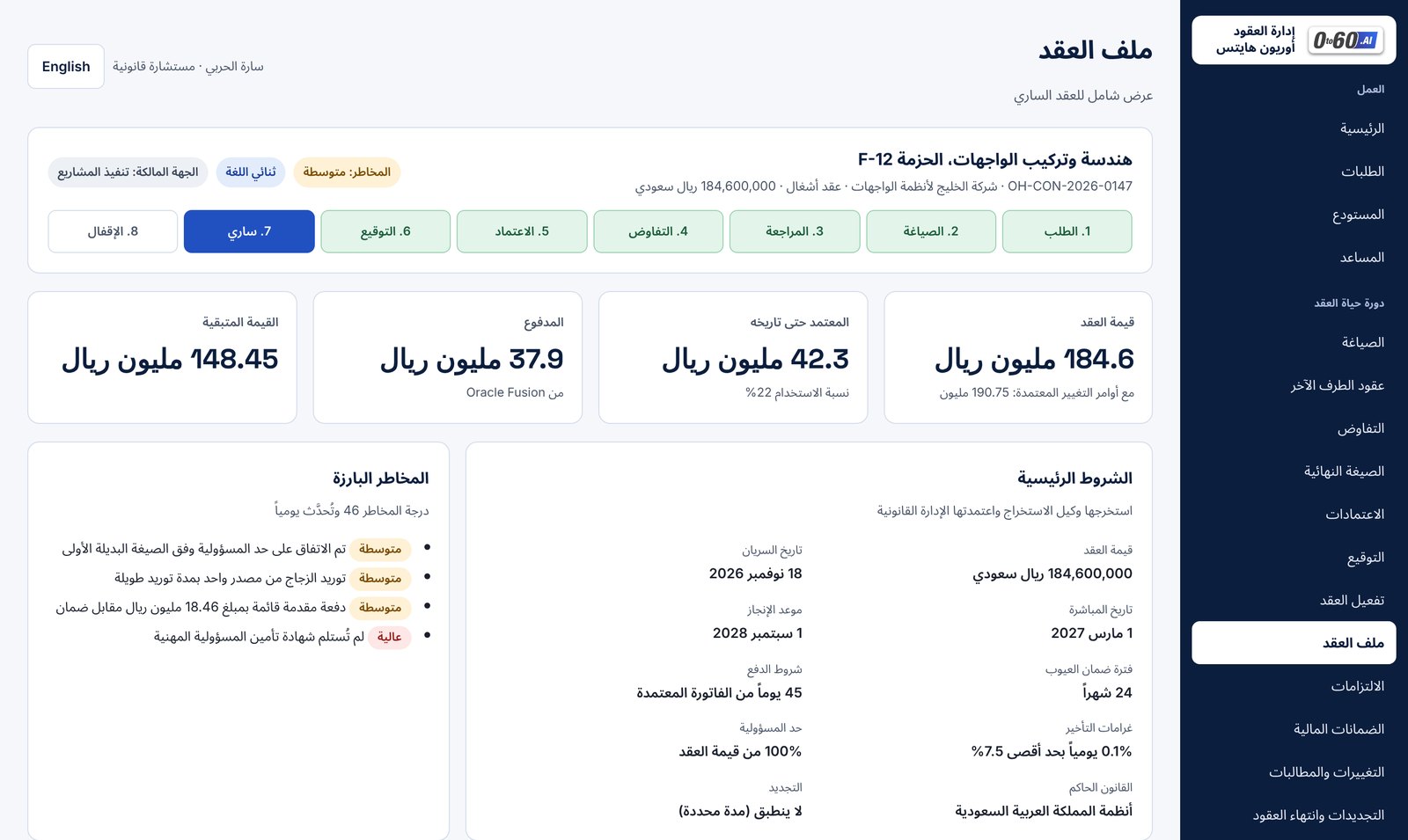
The Contract 360 screen shown in Arabic with a right-to-left layout

Your languages

It works in the languages you contract in

Here, Arabic: the screens, the contract text and the answers. One click switches the whole interface, right to left, with the same clauses and the same proof.

Where people already are

Approved from a phone, recorded in the audit trail

An executive sees the agent's summary, the approval path and the documents, and decides in one tap. Lawyers stay in Word. Approvers stay in Outlook.
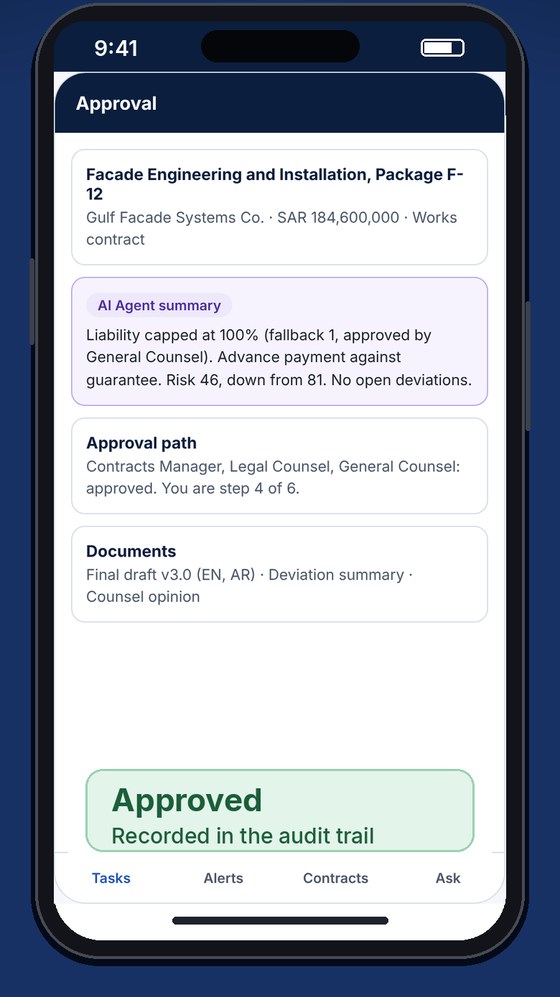
Mobile approval screen showing an approved contract

Who it is for

Three people have to say yes

General Counsel

Control without the queue. Your positions are enforced on every contract, and every exception reaches the right approver with its evidence.

Procurement and Contracts

Shorter cycles and nothing missed. Drafts arrive ready, changes are routed, and obligations and expiries chase themselves.

IT and Security

It fits your estate. Integrated with your ERP and identity provider, single tenant, with private models that run inside your environment.

A repository with a search box: nobody remembers that

A contract that reads itself, in Arabic, and shows its proof? Now you want to know what is inside.